
Guides · 10 min read · Mar 12, 2026
Shopify Account Web Component: The New Way to Build Customer Login and Account Pages
By Rajan Soni
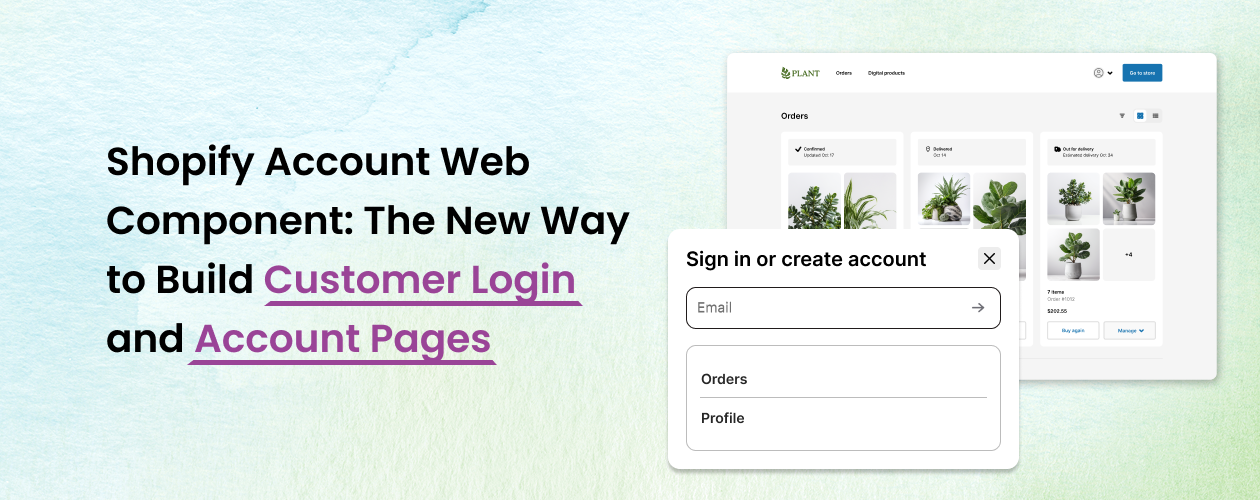
What is the Shopify Account Web Component
The Shopify Account Web Component is a frontend component enabling developers to embed login and customer account functionality directly into a storefront.
Previously, customer account pages were built using Liquid templates like customers/login.liquid or customers/account.liquid, requiring developers to manage structure and logic within the theme.
With the new system, Shopify handles authentication through its hosted account service while the storefront simply loads the component.
Customers log in using a one-time verification code, removing the need for passwords entirely.
This approach improves security and simplifies how developers integrate customer accounts into storefronts.
Why Shopify Is Moving Away from Password Logins
Traditional password-based authentication creates both security and usability problems.
Many users reuse passwords across websites. "Over 65% of users reuse passwords across multiple platforms," increasing breach risk.
Passwords also create friction for customers. Forgotten passwords, reset emails, and failed login attempts often interrupt the buying journey.
Passwordless login removes these issues. Customers simply enter their email and receive a secure login code, making the process faster and easier.
How Shopify Passwordless Login Works
The new authentication flow is straightforward.
When a customer clicks the login or account button on a storefront, the Shopify Account Web Component loads instead of a traditional Liquid login page.
The customer enters their email address and Shopify sends a one-time login code to that email. After entering the code, Shopify verifies the user and creates an authenticated session.
Once verified, the customer is logged in and redirected to their account dashboard, where they can access orders, addresses, and profile information.
The storefront simply embeds the component while Shopify manages the authentication process behind the scenes.
How to Add the Shopify Account Web Component to a Theme
Developers can add the component directly inside a storefront page or section.
A simple implementation looks like this: <shopify-account></shopify-account>
Once embedded, Shopify automatically handles authentication, session management, and account features like order history and profile updates.
This removes the need for developers to maintain custom login logic while ensuring the authentication system stays aligned with Shopify's security standards.
What This Means for Shopify Developers
This update changes how developers should approach customer account experiences.
Liquid-based account templates will no longer be the primary way to manage customer authentication. Instead, authentication is handled by Shopify while developers embed the component inside storefront pages.
Developers can still design custom user interfaces around the component, but the authentication layer itself is managed by Shopify.
Apps that extend customer functionality will also rely more on customer account APIs and extensions rather than theme-based logic.
Risk of Ignoring This Change
Developers who continue building authentication flows around the legacy system may face compatibility issues in the future.
As Shopify continues evolving its customer account infrastructure, older approaches may break or become limited.
Adopting the new account component ensures storefronts stay aligned with Shopify's security model and future platform updates.
Benefits of the New Customer Account System
The new account system brings several improvements.
First, it improves security by removing password-related risks. Passwordless authentication significantly reduces the chances of stolen credentials.
Second, it improves the login experience. Customers can log in quickly without remembering or resetting passwords.
Third, it simplifies development. Shopify manages authentication while developers focus on building better customer experiences.
"Improving login and checkout experiences can increase ecommerce conversion rates by up to 20%," according to McKinsey Digital.
Who Should Pay Attention to This Update
This change is especially important for Shopify developers and agencies building modern storefronts.
Theme developers need to adapt their approach to customer account integration. App developers should prepare for deeper integration with Shopify's account APIs.
Merchants using Shopify Plus or building custom storefront experiences should also ensure their store architecture aligns with Shopify's new authentication model.
Final Thoughts
The Shopify Account Web Component represents a shift toward modern, secure authentication for ecommerce.
Instead of managing login systems inside themes, Shopify now provides a passwordless, component-based approach that improves both security and user experience.
For developers and agencies, adopting this new model early will ensure storefronts remain compatible with Shopify's evolving customer account infrastructure.