
Post-purchase · 8 min read · Sep 18, 2026
The Post-Purchase Account Page: What Shopify Gives You and What It Does Not
By Ritesh Vatwani
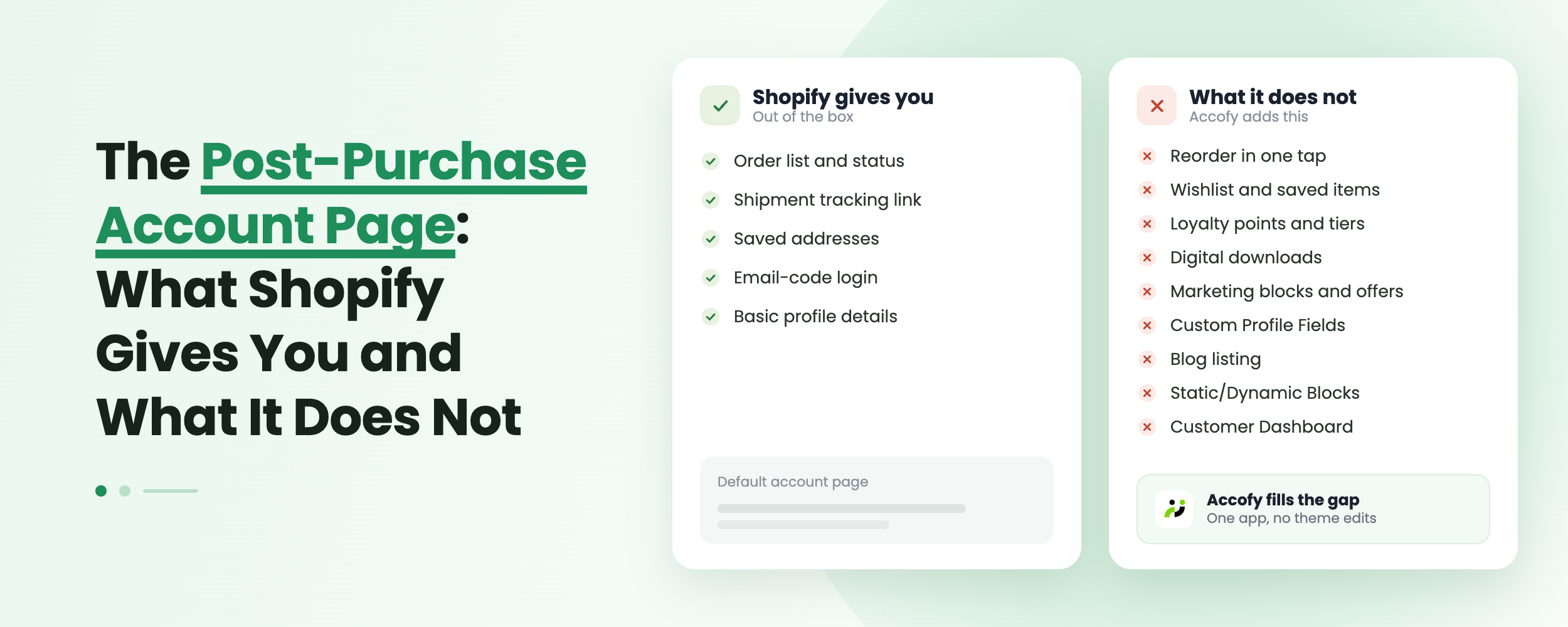
Shopify's customer accounts cover more of the post-purchase journey than most merchants realize: order history, an order status page with tracking, profile and address management, repurchase actions, store credit, and opt-in self-serve returns and cancellation requests. What they do not cover is everything that turns a completed order into the next one, or that resolves a problem without a support ticket. There is no wishlist, no loyalty display, no warranty or claims flow, no downloads library, no custom profile fields, and no room for your own content. Accofy adds those layers on top of the native account with no code.
Key Takeaways
- Shopify now ships a capable post-purchase account page, so the honest question is not what is missing but what is shallow.
- Native strengths: order history, order status with tracking, repurchase, profile and addresses, store credit, and self-serve returns and cancellation requests.
- Native gaps: wishlist, loyalty, warranty and claims, a downloads library, custom profile fields, marketing content, and layout control.
- Cancellation is a request you approve, not an instant self-serve action, and digital files are delivered by email link rather than stored in the account.
Why Does the Post-Purchase Account Page Matter?
The days after an order are the highest-intent, highest-anxiety window in the entire customer relationship. The customer has paid, they want to know where their order is, and if something is wrong they want it fixed without writing an email. Every question they can answer themselves is a support ticket you never receive, and every relevant prompt they see is a chance at a second order.
Passwordless sign-in changed the economics here. Customers enter an email, get a six-digit code, and sign-in sessions persist for up to 365 days, so returning shoppers are usually already logged in. The account page stopped being a page nobody visits and became the natural destination for "where is my order." That traffic is the asset. What you do with it is the decision.
What Does Shopify Give You Natively After the Sale?
More than the old legacy accounts did, and it is worth knowing exactly where the line sits before you buy anything.
Order history and order status. The orders page shows a list or gallery of past orders, and each order has its own order status page with the complete summary and tracking information. Customers can also complete outstanding payments from here.
Repurchase. Customers can repurchase items directly from their orders. Reordering is native now, which surprises merchants who last looked at this two years ago.
Profile and addresses. Customers edit their name, email and shipping addresses themselves. Email changes trigger a verification step. Stores on Shopify's enterprise offering can also turn on saved payment methods.
Self-serve returns and cancellations. Off by default, switched on in Settings > Customer accounts. Customers can request a return on delivered items or cancel items that have not shipped, both from the order status page. Return rules control eligibility, the request window, and who pays return shipping, and you can customize the request form to collect reasons and product condition.
Store credit. Customers can view their store credit balance and spend it at checkout once you enable it.
Branding and extensibility. The checkout and accounts editor lets you set brand styling, work in a draft, customize by market, and add app blocks. You can also move accounts to a subdomain such as `account.yourstore.com`.
That is a real foundation. The problem is what sits on top of it.
Shopify Native vs. What Merchants Actually Need
| Capability | Shopify native | The gap |
|---|---|---|
| Order history and tracking | Yes | None worth solving |
| Reorder an item | Yes | No merchandising around it, no replenishment prompt |
| Returns | Yes, opt-in | Returns only, no warranty or claims |
| Order cancellation | Request only | You approve each one manually, no instant rules-based cancel |
| Store credit | Yes | No points, tiers or rewards display |
| Wishlist | No | Saved intent has nowhere to live |
| Digital downloads | Email link and order status page | No permanent downloads library in the account |
| Custom profile fields | Metafields, no customer UI | Nothing customers can fill in themselves |
| Marketing content in the account | No | High-intent traffic with nothing to act on |
| Layout control | Brand styling only | You cannot decide what the page is |
What Shopify Does Not Give You
The Repeat Purchase Layer
Native reorder is a button on an old order. It is not a buy again row, a replenishment reminder, or a set of recommendations based on what someone bought. There is no wishlist, so saved intent has nowhere to live and no reason to bring anyone back. There is no loyalty display either: store credit is a balance, not points, tiers, or progress toward a reward. And there is nowhere to put a banner, a featured collection, or a referral prompt, which is the single cheapest thing you can do with account traffic. We broke that down in turning your customer account page into a marketing channel with static blocks.
Delivery and Access for What They Bought
If you sell digital products, Shopify's free Digital Products app emails a download link and can show one on the thank you and order status pages. It works, but the customer's copy of what they bought lives in their inbox, not in their account. Lost email, hit download limit, new phone, and you get a support ticket. There is no library the customer can return to, no re-download on demand, and no single place that answers "where is the file I paid for." Our full case is in why digital downloads belong in the customer account.
Self-Serve Problem Solving With Real Rules
Returns are handled well natively. Cancellations are not quite what merchants assume: a customer submits a request, you review it in admin, and you resolve it through the standard refund flow or decline it. That is better than an email, but it is still manual work per order rather than a rules-based window that resolves instantly.
Warranty is the bigger hole. If you sell anything with a guarantee, there is no native way for a customer to register a product, see its coverage, or file a claim. That entire workflow lives in your inbox by default, which is exactly where high-value, high-emotion conversations should not live.
Branding and the Data You Could Be Collecting
The checkout and accounts editor gives you brand styling: colors, fonts, and per-market settings. It does not give you layout. You cannot decide the page is a dashboard with an activity feed, or a rewards hub, or a B2B panel. Nor is there a customer-facing way to collect profile data. Customer metafields exist, but nothing native lets a shopper fill in a birthday, a VAT number, a size preference, or a pet's name. That data is sitting there for the asking, and the native account has no way to ask. More on that in custom fields in the new customer account.
How Do You Close These Gaps Without Code?
Accofy is a customer account builder that installs as app blocks on top of Shopify's native account, so nothing you already have breaks. The modules map directly onto the gaps above: a customer dashboard with three layouts, wishlist, loyalty points, warranty and claims, order cancellation with rules you control, digital downloads, custom fields synced to metafields, sales bars and static blocks for content, and cart sync so an unfinished cart follows the customer across devices.
The point is not to replace what Shopify does well. Order tracking, returns and reorder are fine as they are. The point is to stop treating the account page as a receipt archive and start treating it as the place where the second order begins. If you want the wider picture of what that looks like, see what a good Shopify customer dashboard includes.
Where Should You Start?
Start with whichever gap is generating tickets. If support is answering "where is my file," add downloads to the account. If it is "can I cancel," add rules-based cancellation. If it is "is this still under warranty," add warranty and claims.
Once the tickets are handled, move to revenue: wishlist and loyalty first, then content blocks around the order list pointed at your current promotion. Audit it the way a customer would, by signing in after a real order and asking at each step whether you could answer your own question or take your own next action.
Final Thoughts
Shopify has quietly closed a lot of the basic post-purchase gaps, and merchants working from an outdated picture end up paying for things they already own. The accurate read in 2026 is that the native account handles the transaction well and the relationship barely at all. It tells a customer what they bought and where it is. It does not help them get more value from it, solve a problem on their own terms, or find a reason to come back. That layer is still yours to build, and it is where the return on the post-purchase account page actually sits.
Want to see what that looks like on your store? Book a demo and we will walk through your account page and where the gaps are. Learn more at getaccofy.com.