
Dashboard · 8 min read · Aug 6, 2026
Shopify Customer Dashboard: What Good Looks Like in 2026
By Ritesh Vatwani
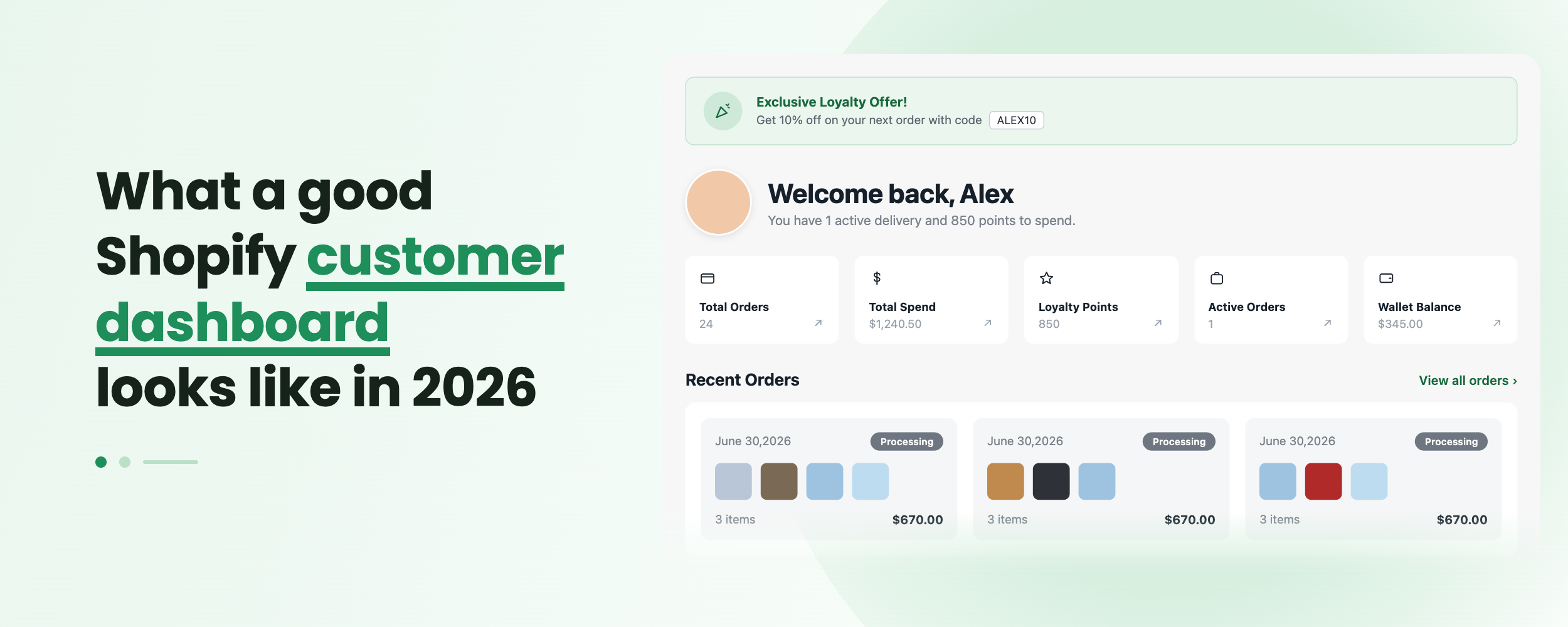
A good Shopify customer dashboard in 2026 is a branded, self-serve hub where shoppers log in without a password and manage orders, profiles, wishlists, downloads, and support in one place. The best dashboards go beyond a plain order list: they surface reorder prompts, personalized content, and loyalty perks that turn a routine login into a repeat sale. Accofy builds this kind of dashboard on Shopify's new customer accounts with no code.
Key Takeaways
- A modern Shopify customer dashboard is a branded portal, not the bare default account page.
- Passwordless login has made the account page one of the highest-traffic surfaces in your store, so what lives there matters more than ever.
- The features that define good in 2026 are self-serve order management, a wishlist, digital downloads, custom profile fields, and marketing blocks.
- Building this natively means Liquid, metafields, and web components. Accofy delivers the same result with a no-code editor.
Why Does the Shopify Customer Dashboard Matter More in 2026?
For years the customer account page was an afterthought. Shoppers rarely visited it because logging in meant remembering yet another password, so most merchants left the default page untouched. That has changed.
Shopify's move to new customer accounts introduced passwordless login, where a customer enters their email and confirms with a one-time code. Signing in is now effortless, and that single change turned a dead page into one of the most visited screens in the store. Every returning customer who checks an order status, downloads an invoice, or tracks a shipment lands on the dashboard.
That traffic is the opportunity. A dashboard that only shows a list of past orders wastes it. A dashboard designed for 2026 treats that logged-in moment as prime retail real estate: a place to reduce support tickets, prompt the next purchase, and reinforce your brand. If you want the deeper background on why this shift happened, we covered it in the Shopify account web component guide.
What Is a Shopify Customer Dashboard?
A Shopify customer dashboard is the logged-in area of your store where a customer manages their relationship with your brand. It is the page they see after signing in, and it typically lives at a URL like `/account`.
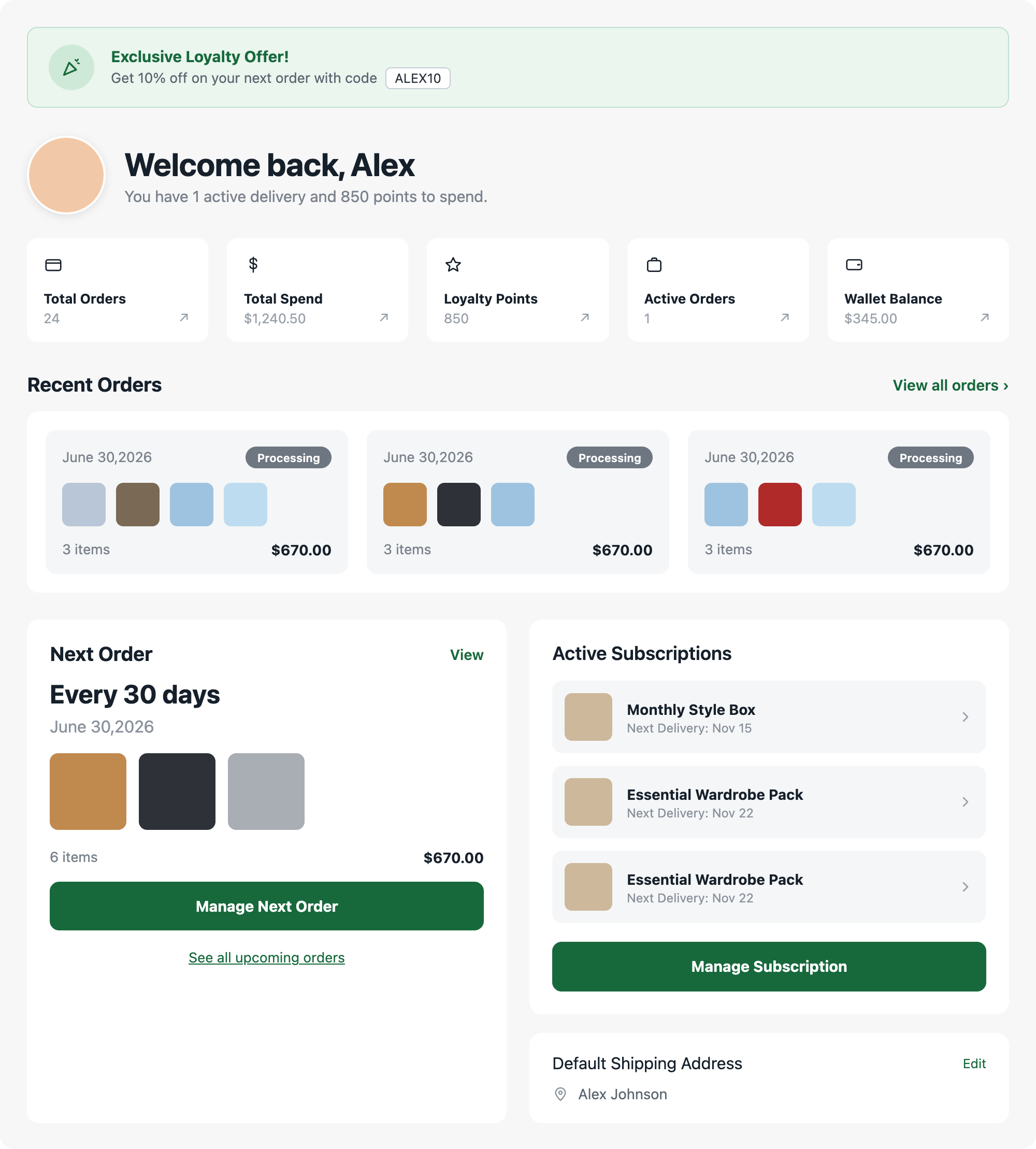
On the new customer accounts system, the dashboard is rendered through Shopify's account web component and can be extended with app blocks and UI extensions. Think of it as a customer portal: orders on one side, profile and preferences in the middle, and value-added features like wishlists or downloads layered on top. The default version Shopify ships is functional but minimal. The dashboards that stand out in 2026 are the ones merchants have shaped around their own customers and products.
What Does a Good Shopify Customer Dashboard Include in 2026?
The bar has risen. Here is what a strong dashboard delivers this year.
Self-Serve Order Management
Customers expect to see order history, track shipments, download invoices, and start a return or cancellation without emailing support. Every self-serve action you enable is a support ticket you never receive. Order cancellation and clear status labels are now table stakes, not extras.
A Wishlist That Remembers
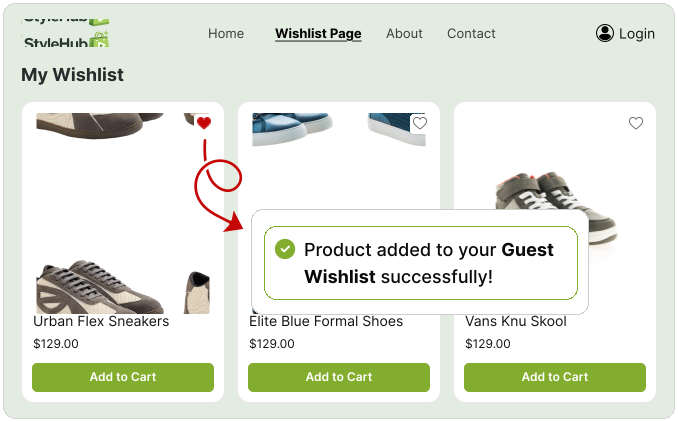
A wishlist keeps products a shopper cares about one click away and gives you a reason to bring them back. When a wishlist item drops in price or comes back in stock, that saved intent becomes a natural marketing trigger. A dashboard without a wishlist leaves repeat revenue on the table.
Custom Profile Fields
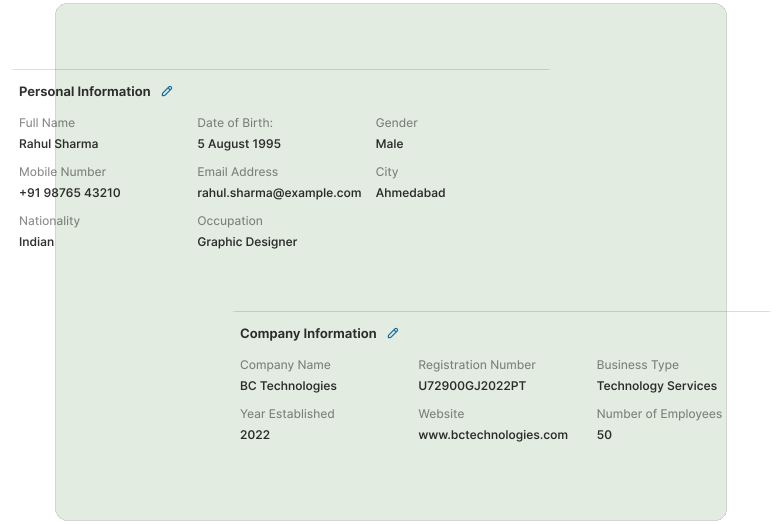
Standard Shopify accounts capture a name and address. In 2026, brands collect far more: birthday for a rewards email, VAT number for B2B invoicing, size or style preferences for personalization, or a pet's name for a pet-supply store. Custom fields let customers manage this themselves, and the data flows back to you. We go deep on this in custom fields for the new customer account.
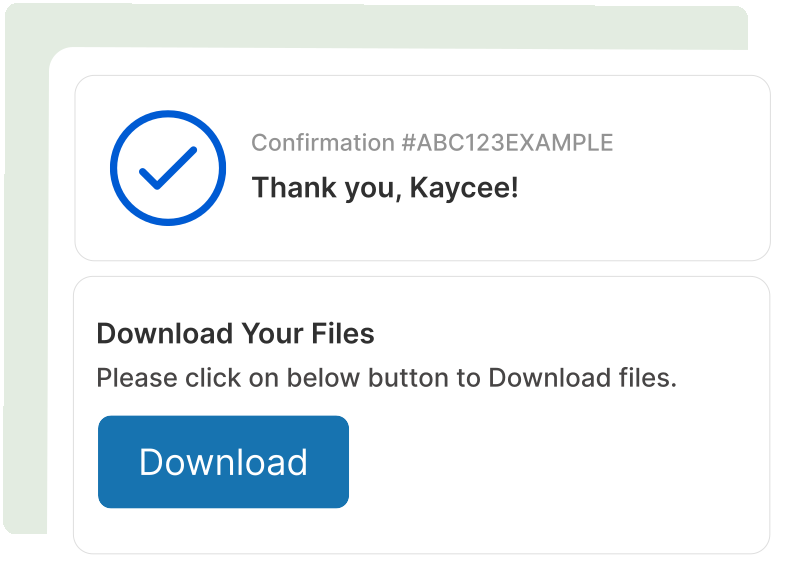
Digital Downloads in the Account
If you sell ebooks, licenses, templates, music, or any digital product, the customer account is exactly where those files belong. Customers return to the same trusted place to re-download what they bought, and you stop fielding "where is my file" emails. Our full case for this is in why digital downloads belong in the customer account.
Marketing and Content Blocks
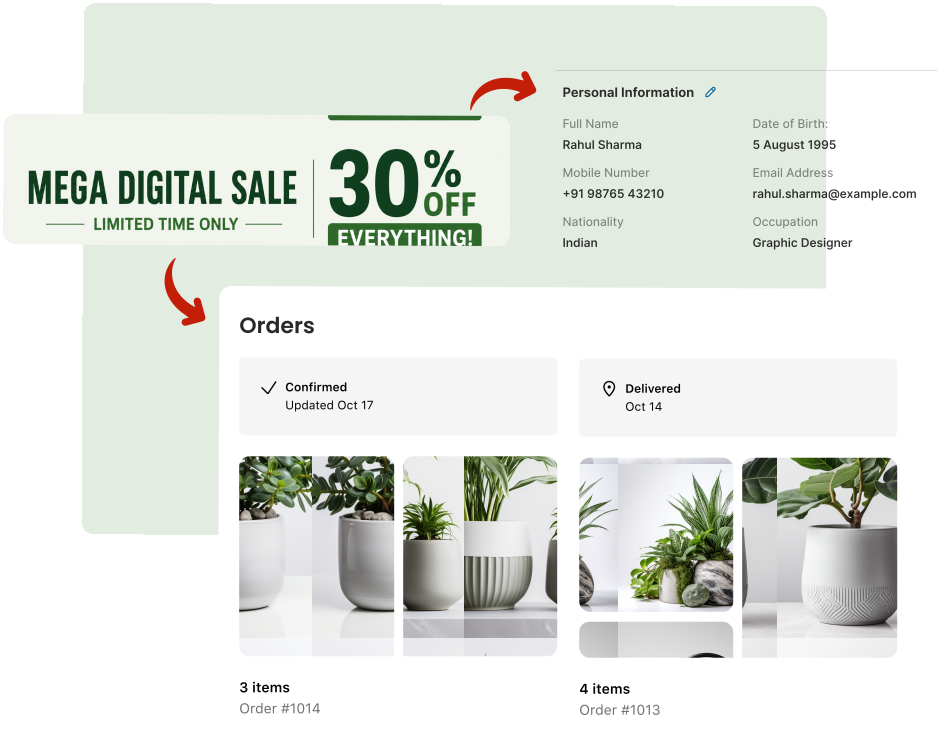
A great dashboard sells while it serves. Banners, featured collections, referral prompts, and announcement blocks placed around the order list turn a transactional screen into a marketing channel. We broke down twelve ways to do this in turn your customer account page into a marketing channel with static blocks.
On-Brand Design
Fonts, colors, logo, and layout should match the rest of your store. A dashboard that looks like a generic Shopify page breaks the trust your storefront worked to build. Consistent branding on the account page signals that the experience is cared for end to end.
How Do You Build This Natively vs. With an App?
There are two paths to a dashboard like this, and they are very different in effort.
The native path means working directly with Shopify's tools. You extend the account web component, write UI extensions, model custom data with metafields, and manage the layout in code. It is powerful and fully in your control, but it requires developer time, ongoing maintenance, and a comfort with Liquid, GraphQL, and Shopify's extension framework. For a single custom field or a small tweak, the overhead is high. For a full dashboard, it becomes a project.
The app path collapses that work into a visual editor. Accofy is a customer account builder for Shopify's new customer accounts. It gives you the dashboard, wishlist, warranty, digital downloads, custom fields, order cancellation, and marketing blocks as ready-made features you arrange in a no-code interface. Instead of writing extensions, you toggle features on, style them to match your brand, and publish. The result is the same modern dashboard, without the engineering backlog.
For most merchants the choice comes down to time and cost. If you have a dedicated dev team and very specific requirements, the native route fits. If you want a polished dashboard live this week, an app is the faster route to the same outcome.
How to Set Up a Modern Customer Dashboard With Accofy
Here is the practical path from default page to a dashboard that works for you.
Install the app. Add Accofy from the Shopify App Store and open the editor. It connects to your new customer accounts automatically.
Turn on the core features. Enable Order Management, Wishlist, and Custom Fields first. These cover the everyday jobs customers come to the dashboard to do.
Add value features that fit your catalog. If you sell digital products, switch on Digital Downloads. If you offer warranties, enable Warranty and Claims. Only turn on what your customers actually need so the dashboard stays clean.
Place your marketing blocks. Add a banner, a featured collection, or a referral prompt around the order area using Static Blocks. Point them at your current promotion.
Match your brand. Set your fonts, colors, and logo in the style settings so the dashboard reads as an extension of your storefront.
Preview and publish. Log in as a test customer, confirm every feature behaves, then publish. Your dashboard is live.
Which Merchants Benefit Most?
Almost every store gains from a better dashboard, but the payoff is largest for a few types. Subscription and replenishment brands benefit from easy reorders and profile management. Digital and course sellers need a reliable download home. B2B and wholesale stores rely on custom fields for tax IDs and account details. High-consideration brands that sell warranties or expensive goods use claims and wishlists to build trust. If repeat purchases or support volume matter to your business, the dashboard is worth the investment.
Final Thoughts
The customer dashboard has quietly become one of the most important pages in a Shopify store. Passwordless login put more shoppers in front of it than ever, and the merchants winning in 2026 are the ones who treat that page as a branded, self-serve hub rather than a default afterthought. Good looks like orders, wishlists, downloads, custom fields, and marketing working together in one on-brand place. You can build that by hand with code, or you can assemble it in an afternoon with the right app.
Ready to upgrade your account page? Install Accofy on the Shopify App Store and build a customer dashboard your shoppers will actually use. Learn more at getaccofy.com.